Financial control without ERP complexity
Take control of your finances with ProcessFlex.com — designed for small businesses, independent professionals, and personal use for anyone who needs clear numbers to decide faster.
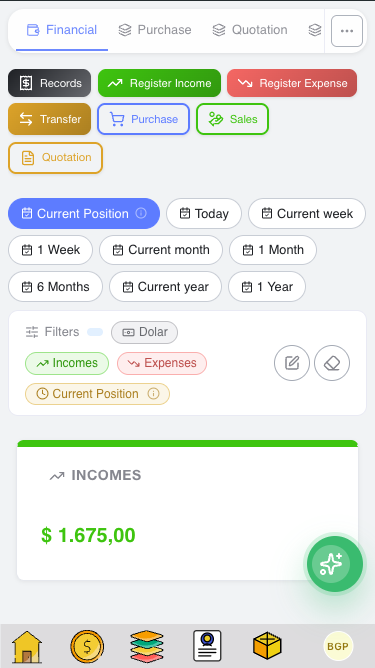
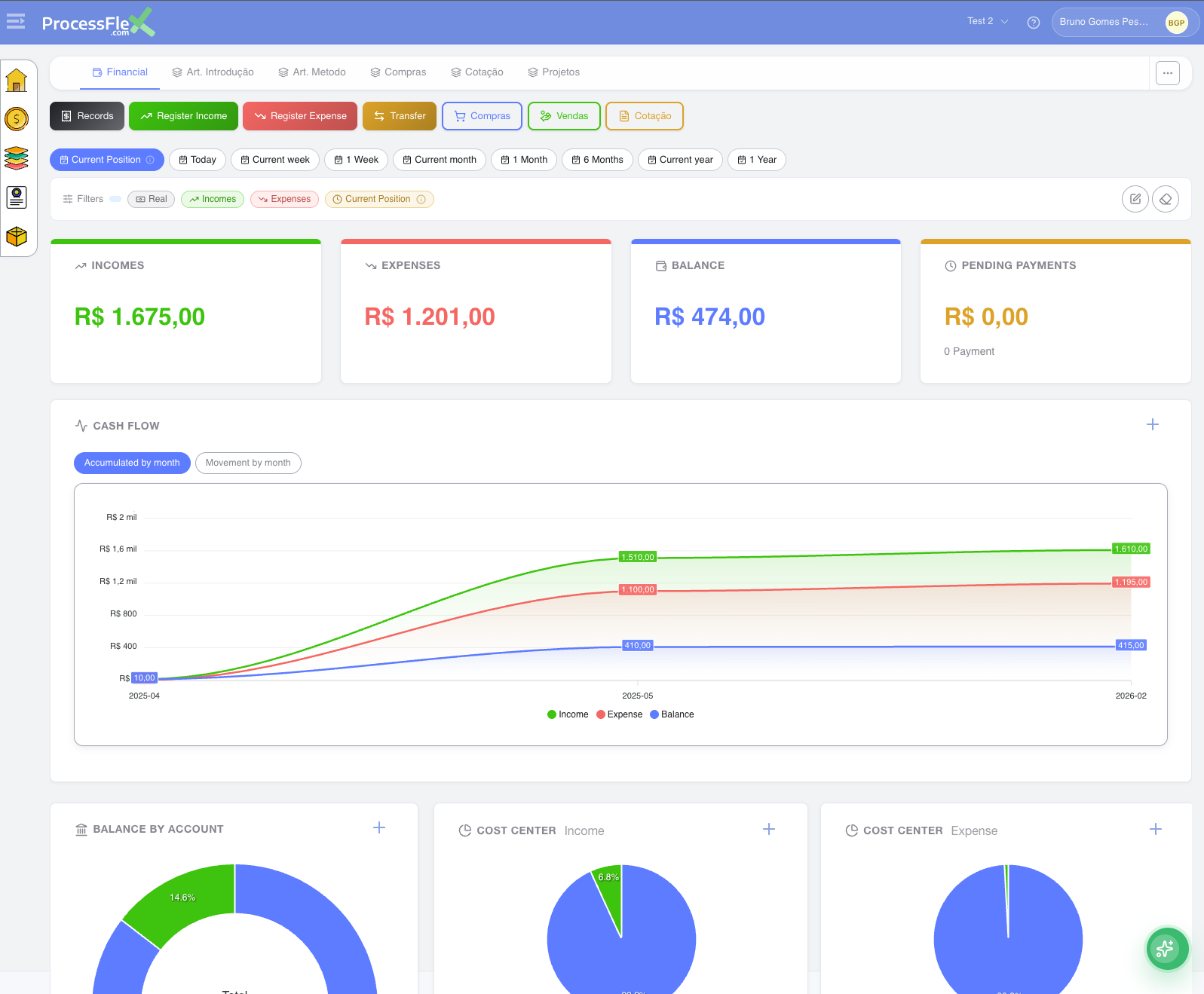
Record income and expenses, categorize transactions, and generate reports by cost center, chart of accounts, tags, and bank account.
No accounting expertise required. You get practical financial visibility without ERP complexity, with multi-currency support included.
Use it independently or connected to quotations, purchases, and daily operations to keep costs and approvals aligned with business goals.
Use Financial AI to ask questions about your reports and receive practical insights to support better decisions.
Create free account
Real financial visibility — understand how purchases and operations impact your results:
- Work with multiple currencies while keeping financial clarity
- Set recurring income and expense rules to automate future entries
- Manage multiple accounts and cost centers easily
- Create reports focused on what matters to your business
- Organize revenues and expenses with a simple account structure
- Link transactions to clients or projects
- Create and save custom filters for quick access
- Finance connected to decisions — purchases, quotations and sales reflect directly in your financial view
Start controlling your finances better, with the flexibility and simplicity of ProcessFlex.com.
AI assistant for financial analysis
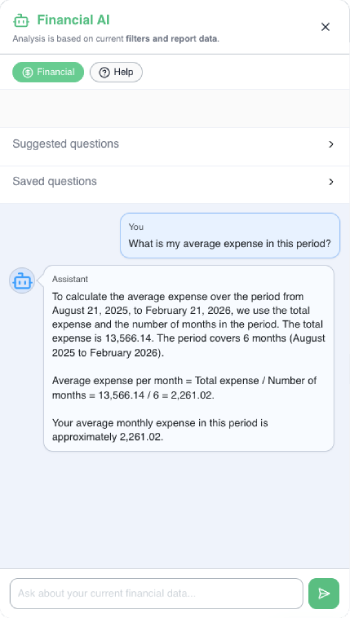
Ask direct questions about your current numbers and receive quick insights based on your active report filters.
The assistant helps you read your financial data, identify risks, and spot opportunities with more clarity.
It works with the same filtered context you are already using in reports, which keeps each answer aligned with your current analysis.
You can also save useful questions to quickly repeat strategic analyses in future reviews.
- Analyze income, expenses, and balance trends
- Highlight critical cost centers and account plans
- Suggest where to reduce costs with less impact
- Explain charts and financial reports in plain language
- Reuse saved questions to compare different periods faster
- Support planning meetings with objective financial context
Suggested examples: average expense in the period, projection for next period, most critical categories, and cost reduction opportunities.
AI-powered document analysis
AI + Purchasing with receipt reading
In purchase mode, AI reads the receipt and prepares the process with supplier and items for confirmation.
This reduces manual work and improves consistency in daily purchase records.
- Extracts supplier, items, quantity and price
- Flags existing records to avoid duplicates
- Creates the process and opens edit mode to continue the normal flow
Bank reconciliation with AI
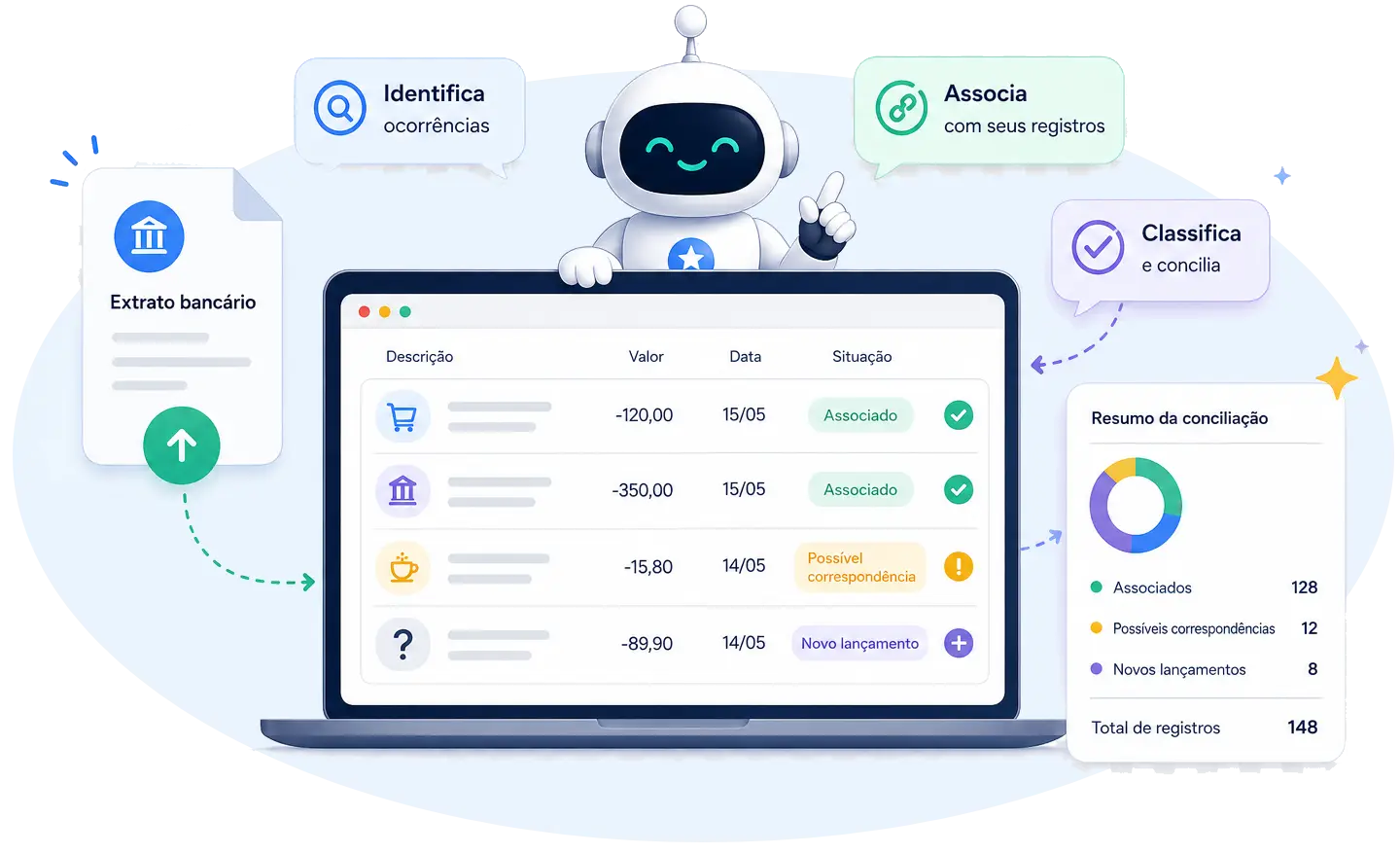
Post and review dozens of bank statement records at once.
Let AI identify, match, and classify each statement occurrence against your ProcessFlex records. Review the suggestions and stay in control before confirming the reconciliation.
Create free account PDF, OFX, XLSX, CSV, image, or a written list.
Comparativo
Escolha o plano ideal
Compare limites, recursos incluídos e extras do plano.
O que muda entre os planos
Users *
1 user
2 *
5 *
Bank accounts
up to 2
up to 5
No limits
Cost centers
up to 20
No limits
No limits
Chart of accounts
up to 20
No limits
No limits
Tags
up to 20
No limits
No limits
Profiles
up to 100
No limits
No limits
Processes
up to 100
No limits
No limits
Financial records / month
up to 60
No limits
No limits
AI analyses / month
50/month
1000/month
6000/month
Storage
10 MB
100 MB
200 MB
Paid plan extras
Inventory management
—
Branches
—
—
Optional tax module
—
—
—
Included in all plans
Cash flow
Income statement (P&L)
Break-even point
Revenue vs. expenses
Multi-account statements
Financial calendar
AI reconciliation
AI receipt reading
AI analysis & projections
Profiles registry
Process flows
* On paid plans, you can add more users. Each additional user proportionally increases the plan's monthly price.
O que muda entre os planos
Users * 1 user
Bank accounts up to 2
Cost centers up to 20
Chart of accounts up to 20
Tags up to 20
Profiles up to 100
Processes up to 100
Financial records / month up to 60
AI analyses / month 50/month
Storage 10 MB
Paid plan extras
Inventory management —
Branches —
Optional tax module —
Included in all plans
Cash flow
Income statement (P&L)
Break-even point
Revenue vs. expenses
Multi-account statements
Financial calendar
AI reconciliation
AI receipt reading
AI analysis & projections
Profiles registry
Process flows
* On paid plans, you can add more users. Each additional user proportionally increases the plan's monthly price.